 Stashify
A real expanding file, on your phone.
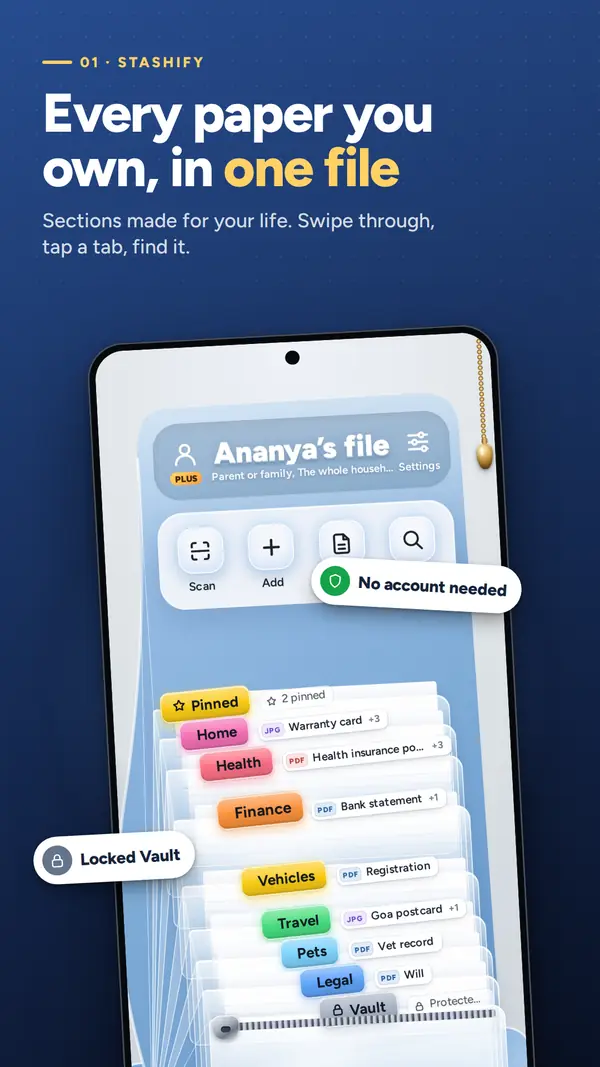
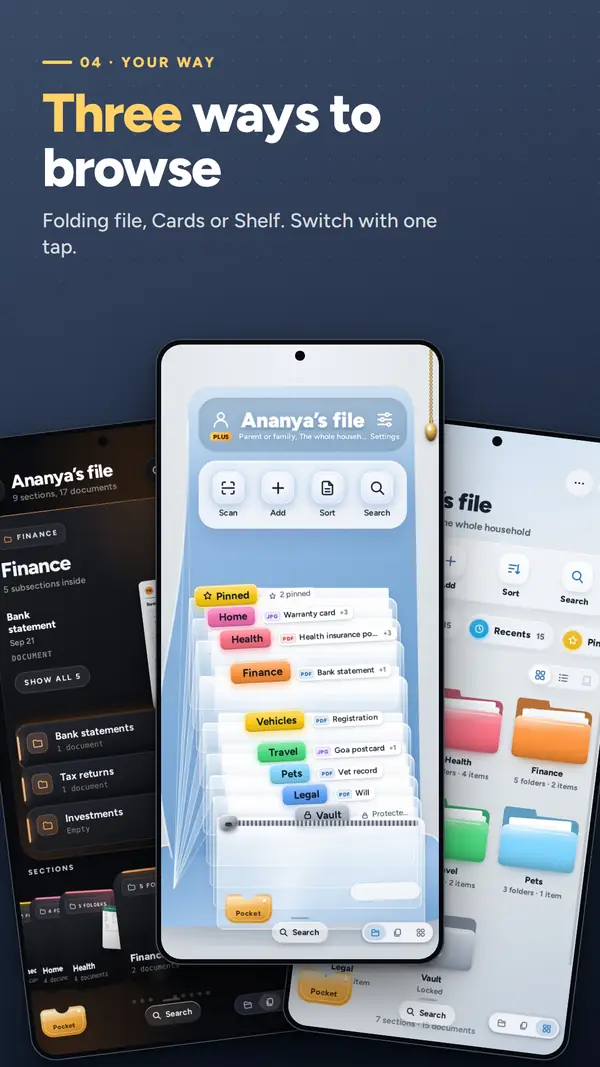
Swipe and a wave ripples through your sections. Tap a tab and its papers rise out. Prefer something else? Switch to Cards or Shelf with one tap.
Folding fileCardsShelf
Scan papers, import PDFs and photos, and find anything by the words inside it. IDs, bills, policies and certificates, beautifully filed on your phone. No account, no ads.
On a computer?Scan with your Android phone
to open Stashify on Google Play.
The insurance PDF is somewhere in a chat. The PAN card photo is lost in your gallery. The original rent agreement is in a drawer, in a bag, somewhere. When you need it, you need it now.
Policies, tickets and bills that someone sent you, months up a conversation.
A quick photo of an ID card, somewhere between hundreds of other pictures.
Paper originals with renewal dates nobody remembers until it is too late.
Stashify gives every paper a tab, a place and a reminder.
Add a document in seconds, find it in seconds, and let Stashify remember the dates for you.
Swipe and a wave ripples through your sections. Tap a tab and its papers rise out. Prefer something else? Switch to Cards or Shelf with one tap.
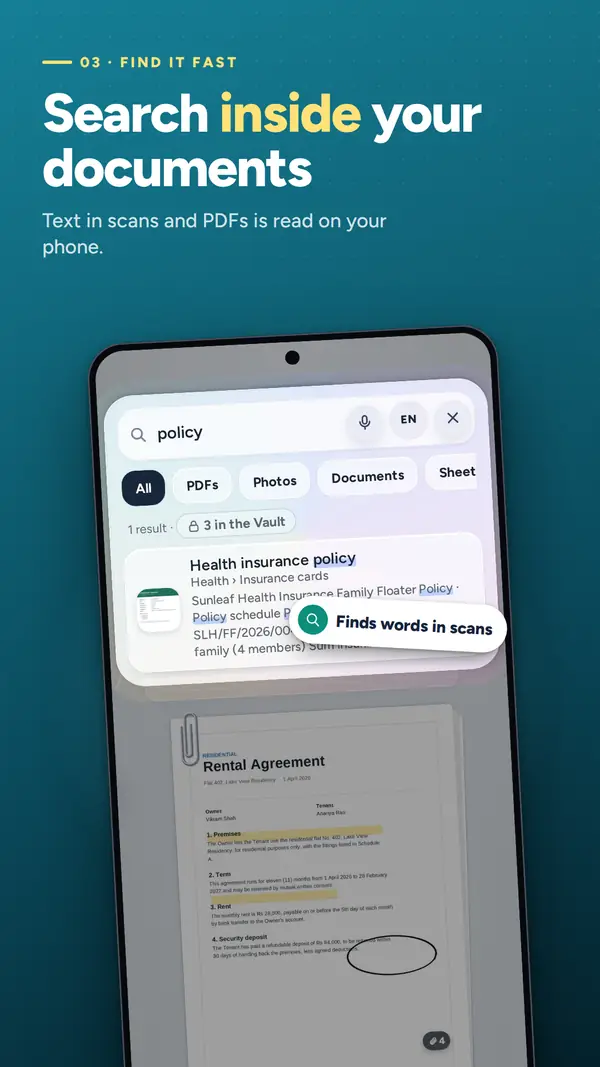
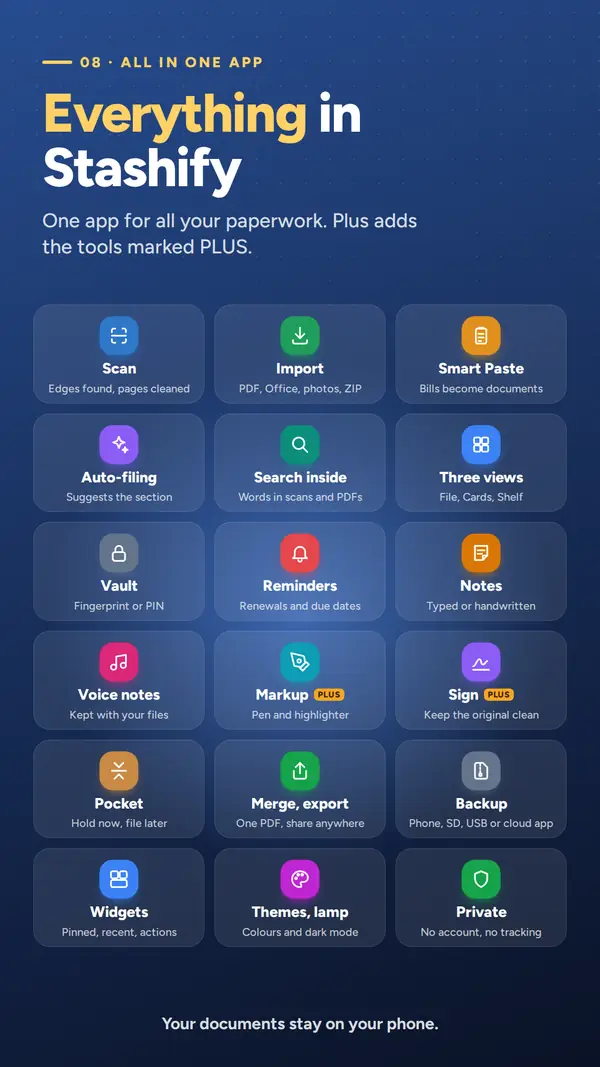
Text in scans and photos is read on your phone, in English and Hindi/Marathi scripts.
Paste a booking, bill or message and Stashify pulls out the details for you.
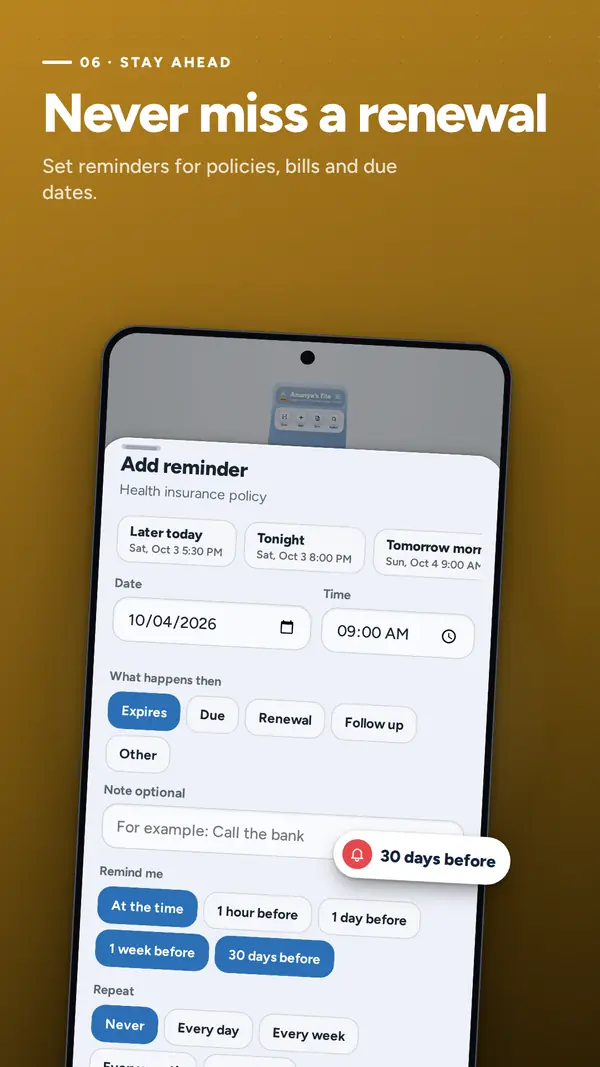
Set a reminder on any document for a renewal, expiry, bill or due date, with alerts ahead of time and repeats.
Aadhaar, PAN, passports, property papers and policies. Pull the zip to open with fingerprint or PIN. It locks itself again.
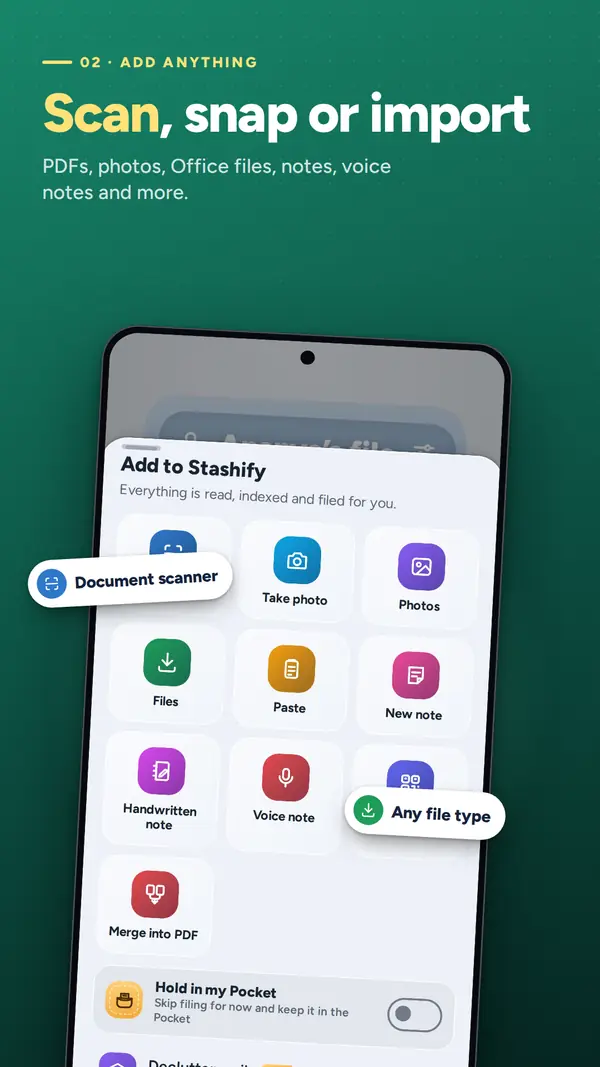
Edge detection, auto-capture, perspective correction and clean-up filters, powered by Google's scanner.
PDF, Word, Excel, PowerPoint, photos, audio, video, ZIP and more. Share straight from Gmail, WhatsApp, Drive or Files.
Tell Stashify what you do (student, doctor, business owner, parent, retiree…) and it designs sections with the names used in India.
Rich notes on lined, grid or dotted paper. Write with a finger or stylus, record voice notes, make and read QR codes.
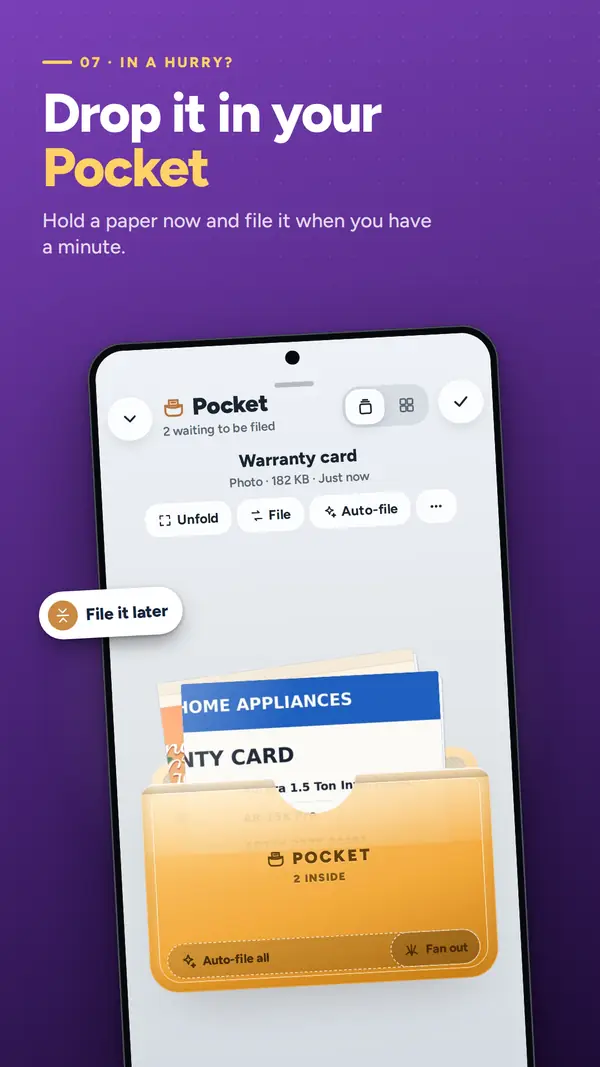
In a hurry? Drop a paper into your Pocket and file it when you have a minute.
Someone looking over your shoulder? Swipe up with two fingers and the file swings shut.
Automatic backup to any folder you choose: phone, SD card, USB drive or a cloud storage app. Device sync with Plus.
Archive what you want out of the way. Deleted documents wait 30 days in Recently Deleted.
Colour themes, dark mode, and a study lamp that puts warm light on your file. Plus widgets, a scan tile and shortcuts.
Swipe to see all eight screens.
Student, doctor, business owner, parent, retiree and more. Stashify designs sections and subsections for your real documents. Rename, recolour and reorder anything.
Scan paper with edge detection and clean-up, share files in from Gmail, WhatsApp or Drive, or paste a bill. Stashify suggests where each one belongs.
Search by the words inside your documents, and get alerts ahead of renewals, expiries and due dates.
Stashify has no servers. Your documents stay on your phone and, only if you choose, in your own backup folder.
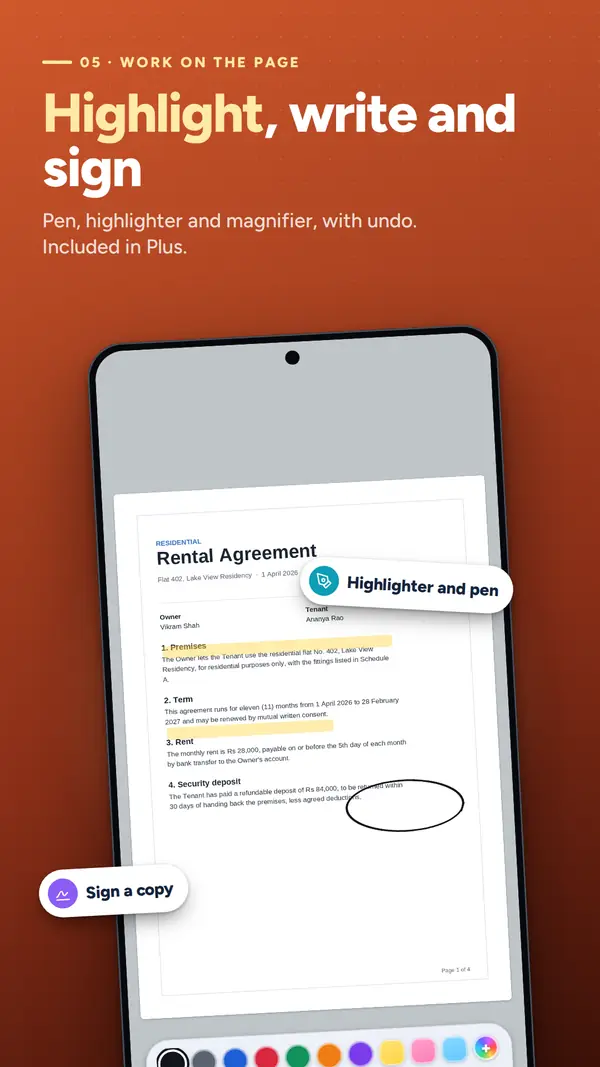
The free app covers your everyday paperwork. Plus adds power tools for big piles, signatures and separate files for each part of your life.
Available monthly or yearly with a free trial, or as a one-time lifetime purchase.
Six full-grain leather looks with real metal labels, as a one-time purchase. Add Emboss Your Logo to press a monogram or your own logo into the leather.
Optional and separate from Plus.
Yes, Stashify is free to download on Google Play. Stashify Plus is an optional upgrade that adds Declutter (scan up to 100 pages in one go), Markup, signing, Profiles, Classic mode, device sync and more. Plus is available monthly or yearly with a free trial, or as a one-time lifetime purchase.
No. There is no account and no sign-up. Open the app, tell Stashify what you do, and start adding documents.
On your phone. If you turn on backup, a copy also goes to a folder you choose: your phone, an SD card, a USB drive or a cloud storage app. Stashify has no servers, so your documents never come to us.
Yes. Text in your scans and photos is read on your phone (OCR), in English and Hindi/Marathi scripts, so search finds the words inside your files, not just their names.
Scans from the built-in document scanner, plus PDF, Word, Excel, PowerPoint, photos, audio, video, ZIP and more. You can also share files to Stashify straight from Gmail, WhatsApp, Drive or Files, or paste a booking, bill or message with Smart Paste.
Put them in the Vault, a zip-locked section that opens with your fingerprint or PIN. It locks itself again automatically and never shows its documents in widgets or search.
Keep an automatic backup in a folder you choose, such as a cloud storage app or an SD card, so your file is not tied to one device. With Plus, device sync keeps the same file on every phone and tablet that uses your sync folder.
Yes. Deleted documents wait 30 days in Recently Deleted before they are removed for good. You can also archive documents you want out of the way without deleting them.
Practical, no-nonsense guides for organising documents, renewals and scans. See all guides.
A simple, durable system for keeping IDs, bills, policies and certificates organised on your phone: sections, naming, scanning, search, backup and privacy.
Read the guideA practical checklist of the identity, money, property, health, education and vehicle documents worth keeping as a digital copy, and how to store them safely.
Read the guideBuild a simple renewal system for insurance, passports, licences and bills: find every expiry date, set reminders with enough lead time, and keep the paperwork ready.
Read the guideFree on Google Play. No account. No ads. Your documents stay on your phone.
On a computer?Scan with your Android phone
to open Stashify on Google Play.